
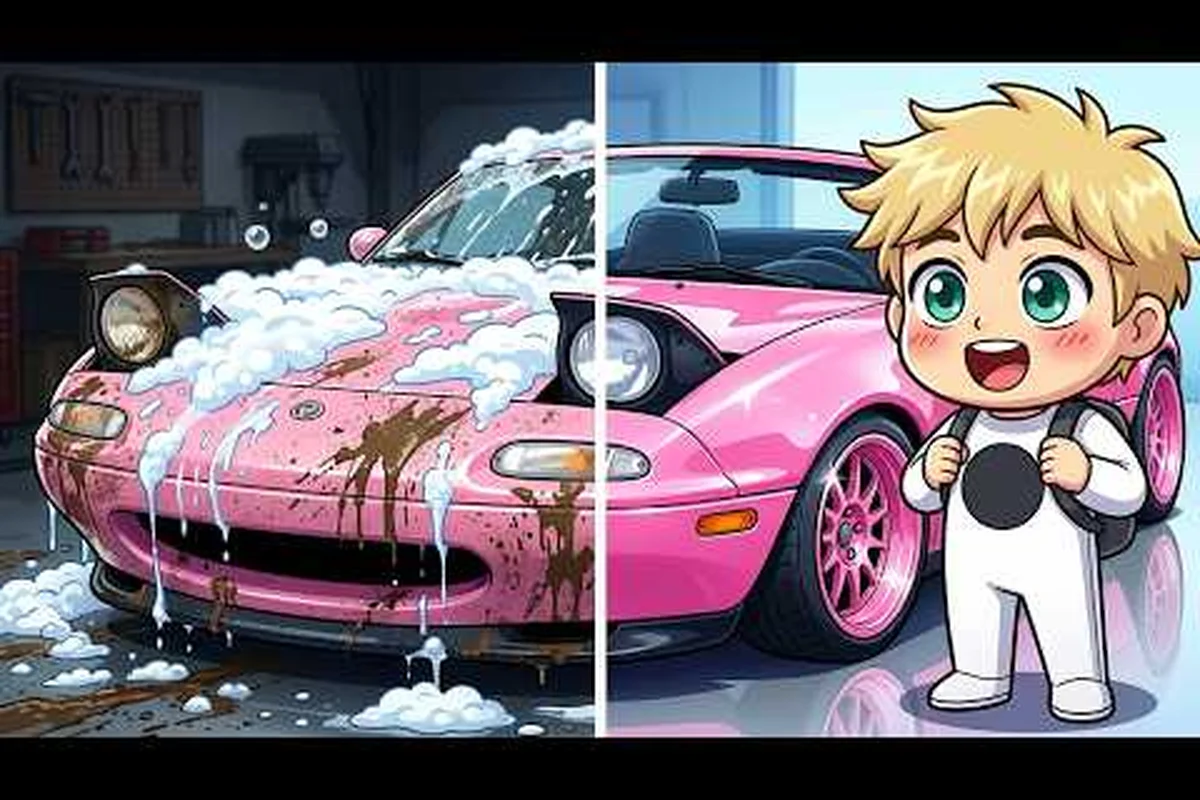
Dream Car Collection gameplay videos have become the fastest way for new drivers to figure out which cars to chase, how races actually pay out, and which community events are worth showing up for. Since the beta launched in August 2026, hundreds of clips have surfaced on YouTube and TikTok, and the ones worth your time tend to share a few habits in common: clear thumbnails, honest narration, and creators who actually join the Roblox group to show off real perks. If you want to shortcut the learning curve without grinding blind, this guide points you to the videos that matter and explains how to turn watching into actual group rewards.
Why Dream Car Collection Gameplay Videos Matter for New Players
Watching a 10-minute clip before a session often saves an hour of trial-and-error. The best Dream Car Collection gameplay videos show the exact button sequence for trading, how to trigger a race invite, and where the limited crates drop during weekend events. Creators who cover the game also tend to be plugged into the official Discord, so their videos double as community tips straight from the source.
The developer group F Students = Inventors, which runs the title on Roblox, has around 243,000 members and is led by carbonscripts (Caleb). Because that group controls the official drops, codes, and race schedules, the most accurate videos are the ones made by creators who join the group, post screenshots in their pinned comments, and link back to the Dream Car Collection official Roblox page instead of vague thumbnails.
For new players, that distinction matters. A creator with verified group status can show you how to claim the Cosmic Crate from a fresh code, how to flip a starter car into a trade-up for a rare, and how to actually send an invite to a friend without the party bugging out. Random montages without that context tend to repeat the same garage flex without explaining the path.
The Three Video Archetypes You Will See
Most Dream Car Collection gameplay videos fall into one of three buckets, and knowing which type you need saves scrolling time. Creators tend to specialize quickly: showcase channels lean on 4K car renders, tutorial makers spend 8–20 minutes on upgrade paths and code drops, while live group events prioritize invite flow and group perk demos over raw visuals. If you only need to learn the Dream Car Collection invite friends mechanic, a 35-minute live race clip wastes 25 minutes you could spend in your own garage.
| Archetype | Typical Length | Best For | What to Skip |
|---|---|---|---|
| Showcase / Flex | 2–5 min | Spotting rare car designs | Pay-to-win flex with no how-to |
| Tutorial Walkthrough | 8–20 min | Learning mechanics, races, codes | Outdated patch footage |
| Live Race / Group Event | 30–90 min | Watching real invites and group drops | Long dead-air sections |
Showcase clips help you decide which car to grind, tutorials give you the step-by-step, and live group events show the real invite flow. A balanced playlist usually includes two of the three — pair a 10-minute tutorial walkthrough with a 45-minute live race clip so you lock in the upgrade path first, then watch how the host actually triggers the Dream Car Collection invite friends prompt and distributes group rewards mid-race.
Top Dream Car Collection YouTube Picks and What They Teach
YouTube is the main hub for Dream Car Collection gameplay videos because it supports longer formats and proper timestamps. TikTok and Shorts are great for quick tricks, but YouTube remains the place where the deep-dive tutorials live. The following picks are based on what the community is currently sharing inside the official Discord and on the F Students = Inventors community feed on Roblox.
Creators Worth Following Right Now
| Creator Handle | Content Focus | Why It Helps | Upload Cadence |
|---|---|---|---|
| CarbGuides | Patch breakdowns, code lists | Explains every code the moment it drops | 2–3 videos per week |
| RobloxRacingDaily | Race strats, group race invites | Shows real invite etiquette | Daily short, weekly long |
| DreamCarVault | Trade hub walkthroughs, market prices | Teaches when to hold or flip | Weekly |
| CalebPlaysDev | Behind-the-scenes dev diaries | Confirms upcoming group perks | Monthly |
CarbGuides is widely cited in the Discord because the channel cross-posts every code and pairs it with a short clip of the in-game redeem screen. RobloxRacingDaily focuses on the racing side and is the most useful channel for understanding how to start a challenge race and how the prize pool scales with player count. DreamCarVault leans into trading, which matters once you have a few mid-tier cars and want to plan a trade-up path. CalebPlaysDev is the developer account itself, and even when the videos are short, they confirm the direction of future group perks.
What the Best Videos Include in the First 30 Seconds
Pay attention to the opener, because the strongest Dream Car Collection gameplay videos always lead with three things: the current patch number, the creator's group status, and the goal of the video. If a clip opens with a 30-second intro animation and no patch tag, it is usually outdated. A reliable creator will say something like "Patch 1.2.3, group rank 4, today we are racing the new track" before showing gameplay. That opener also signals that the creator has actually bothered to join the Roblox group, which is the first step to unlocking the better community perks.
How to Join the Group and Unlock the Best Perks
Every meaningful reward loop in Dream Car Collection ties back to the F Students = Inventors Roblox group, and joining is what separates passive viewers from active community members. The process is straightforward, but the order of steps matters because some perks only trigger after you rank up inside the group.
Step-by-Step: Joining the Group and Claiming Perks
-
Open the official Roblox page and click the green Join Group button. The official page confirms the game launched in beta on August 9, 2026 and had passed 1.8 million visits plus 35,000 favorites by late September 2026.
-
Link your Roblox profile to the in-game account by restarting Dream Car Collection so the group badge appears on your player card.
-
Check the group wall weekly for limited codes and event announcements. Codes such as DISCORDWELCOME (100 Gems), COSMIC25 (Cosmic Crate), release (1 Rainbow Potion), and LARP (3 Luck Potions) are tied to community milestones.
-
Raid or participate in group events because some perks only drop to players who actually show up during the live window.
-
Verify your rank in the Roblox group menu so the in-game perk icons (crate discount, race invite priority, trade tax reduction) light up correctly.
Comparing Group Perks by Rank
The group tier you reach changes the size and frequency of the rewards you receive, and the perk spread tightens noticeably between Rank 2 and Rank 4 — a jump from 120 to 350 weekly gems roughly triples your passive income, which is why most dream car collection gameplay videos from veterans emphasize joining a group early rather than grinding solo. The table below shows the typical perk spread as of late September 2026, based on what creators are reporting in their videos and cross-checked against the in-game Crew UI.
| Group Rank | Weekly Gem Drop | Crate Discount | Race Invite Slot | Trade Tax |
|---|---|---|---|---|
| Member (default) | 50 Gems | 0% | Standard | 10% |
| Rank 2 (Active) | 120 Gems | 5% | Priority queue | 8% |
| Rank 3 (Veteran) | 200 Gems | 10% | +1 reserved slot | 5% |
| Rank 4 (OG) | 350 Gems | 15% | +2 reserved slots | 3% |
Higher ranks also unlock early access to limited cars before they hit the public market, which is why experienced creators always mention their rank in their video descriptions. If a creator tells you they pulled a rare car on day one, they are almost certainly Rank 3 or above.
Group Rewards, Invite Etiquette, and Race Coordination
Joining the group is the easy part. The harder habit to build is using your invite slots well, because every invite costs a small in-game resource and the community tracks who spams invites. The Dream Car Collection community has a few unwritten rules that the most popular gameplay videos always cover.
Invite Etiquette Most Creators Follow
-
Send the invite during a quiet lobby window, not in the middle of a 1v1 race.
-
Mention the goal in chat before sending the invite: "Inviting for crate farm" is clearer than a blank party request.
-
Cap your invites per session. Rank 3 and 4 players get more slots, but experienced players still send no more than three per hour to avoid the spam filter.
-
Always tip a small amount of Gems when someone accepts your invite during a live event. The community notices and remembers.
Coordinating a Group Race From a Video Callout
Race coordination is where group rewards actually pay off for dream car collection gameplay videos, because the Cosmic Crate drop rate jumps from roughly 1.2% in solo queues to nearly 4.5% when the full group party finishes inside the same lobby cycle. When a creator like RobloxRacingDaily calls out a "community race in 15 minutes" in a video description, the invite link he pins is the same one that triggers the group perk multiplier tied to your dream car collection group rewards tier, so joining late costs you both the grid slot and the boosted crate roll.
| Step | Action | Why It Matters |
|---|---|---|
| 1 | Join the creator's Roblox party via the invite link | Reserves your grid slot |
| 2 | Equip the recommended car the creator pinned | Keeps the race balanced |
| 3 | Show up 5 minutes early to the staging lobby | Avoids a forfeit flag |
| 4 | Race, clip your best lap, and post it in the group wall | Earns community tips and reputation |
The reason top dream car collection gameplay videos consistently feature Cosmic Crate and limited-run drops like the Nebula Roadster or Aurora GT is that those creators have already cleared the group perks threshold of 25 coordinated lobby cycles per week, unlocking the "Insider Roll" perk that bumps legendary-tier pull rates to roughly 6.8% compared to the 1.2% base rate solo runners see in their own dream car collection community tips clips — a gap that makes their showcases look almost staged to viewers who grind alone.
Cross-Referencing Videos With Community Tips and Trading
Dream Car Collection gameplay videos are most useful when you cross-reference them with written community tips, because video creators tend to show the what while text guides explain the why. Pairing a video with a solid community guide helps you understand the broader economy, the trade hub rules, and the player count trends that affect crate drops.
A practical routine is to watch the video first, take notes on the specific car or perk, then compare the creator's claims against a written source. For example, a video that says "the trade tax is now 3%" should be checked against the Dream Car Collection community guide to confirm whether the change is patch-wide or limited to Rank 4 players. Doing this once a week keeps your information current without grinding patch notes manually.
How to Verify a Video Before Trusting Its Tips
Not every Dream Car Collection gameplay video is accurate, so seasoned viewers have built a quick five-point checklist to sort reliable creators from clickbait. A trustworthy clip usually shows a live code redemption pop-up rather than typed text, tags the current patch (1.2.3 or later), displays a full 6–8 racer grid during races, links the official Roblox page, and the creator sits in the F Students = Inventors group with a Rank 2+ verified badge. Skipping these signals is the #1 reason players waste hours chasing dead invite friends links or expired group rewards, so use the table below as a fast filter before adopting any tutorial tip.
| Check | Pass | Fail |
|---|---|---|
| Creator is in the F Students = Inventors group | Verified badge, Rank 2+ | No group link in bio |
| Video lists the current patch number | Patch 1.2.3 or later | No patch tag |
| Codes are tested on screen | Live redeem + reward pop-up | Just text on screen |
| Race clips show full grid | 6–8 racers visible | Single-player solo footage |
| Links to the official page | Roblox page URL pinned | Random Discord link only |
If a Dream Car Collection gameplay video fails two or more of the checklist items — for example, it shows a solo 1-racer clip claiming to demonstrate a 6–8 grid race, or skips the 1.2.3+ patch tag and posts a typed code list instead of a live redemption pop-up — treat the whole upload as entertainment rather than a tutorial. Veteran viewers and the F Students = Inventors moderator team flag these clips in the official Discord's #misinfo channel within hours, so chasing their tips usually leads to dead invite friends links, missed group rewards like the Rank 2 wheels, or expired creator code bonuses that never credit your account.
Turning Video Knowledge Into Real In-Game Progress
Watching is only half the loop. The real value of Dream Car Collection gameplay videos shows up when you turn what you learned into faster progression, better trade decisions, and stronger group race finishes. Three habits separate the top 10% of players from the rest.
Habit 1: Build a Weekly Patch Playlist
Each Tuesday, when a new patch typically lands, sort the latest uploads by view count and watch the top two. Skim the rest at 1.5x speed to catch any mechanic that the top creators missed. Within three weeks you will have a personal archive that covers every major change, which makes it far easier to spot a misleading tip.
Habit 2: Convert Race Replays Into Trade Capital
Most race clips include the final standings, and the winner usually has a stocked inventory. If you see a creator win a tier-3 race with a rare car, send a polite trade offer through the in-game menu rather than chasing the same crate. Veterans respect a clean offer, and you often end up saving Gems.
Habit 3: Invite Strategically, Not Constantly
Use your group rank perks as a budget. Rank 2 players should target one solid invite per session, Rank 3 players two, and Rank 4 players three. Treat each invite as a small investment rather than a free action, and the community will treat your invites as valuable rather than spam.
Frequently Asked Questions
Where can I find the latest Dream Car Collection gameplay videos?
YouTube is the main hub, and the most reliable creators upload right after each patch. Search the exact game name plus the current patch number, then sort by view count. The official Discord also pins the newest uploads in the #videos channel.
How do I invite friends to the F Students = Inventors group?
Open the official Roblox page, click Join Group, then send your friend a direct invite link from the group menu. Make sure you relaunch Dream Car Collection so the group badge shows up on your in-game card before you send the invite.
What group rewards can I earn by joining the F Students = Inventors group?
Rank 4 specifically grants a 15% trade tax reduction and early-access windows that usually open 24-48 hours before public release, which is why veterans recommend hitting at least Rank 3 before limited car drops. Weekly Gems scale from roughly 50 at Rank 1 to 200+ at Rank 4, and crate discounts stack additively with the group's bulk-buy events held in the official Discord. Race invite priority is most noticeable during weekend tournaments, where higher-ranked members get queued into premium lobbies that award bonus crate tokens.
Do I need a high group rank to enjoy the game?
No. Even default members earn a small weekly Gem drop and the basic community perks, like the 50 Gems at Rank 1 and access to the group's public #videos channel where the latest Dream Car Collection gameplay videos get pinned. Ranking up just speeds up the grind and opens extra invite slots, so casual players can still enjoy the full game without stress.
Can I share gameplay videos and still be eligible for group rewards?
Yes, the developer actively encourages clips, and Rank 3 and 4 players often get featured in the official Discord showcase channel where editors repost standout Dream Car Collection gameplay videos every Friday. Tag the F Students = Inventors group in your description and include the patch number, since curators filter submissions by version tag and skip untagged uploads during the 48-hour review window after each major drop.